On this page you will find the latest information, innovations and guidelines for the versions of the PNOZmulti Configurator software tool.
Find out which functions have been added and how you can achieve more efficient configuration in future.
All relevant information on current and previous versions of the software tool PNOZmulti Configurator.
On this page you will find the latest information, innovations and guidelines for the versions of the PNOZmulti Configurator software tool.
Find out which functions have been added and how you can achieve more efficient configuration in future.
This means that, in future, FSoE SubInstances that exclusively support SRA parameters can also be connected via the FSoE MainInstance PNOZmulti 2. This broadens the range of applications for safe communication and offers greater flexibility when integrating relevant devices.
The FSoE SubInstance checks the CRC of these parameter settings, thereby ensuring that the parameter values are synchronised in a way that's consistent and transparent.
Benefit to you: greater compatibility, clear security testing and a further step towards comprehensive support for modern FSoE architectures.
SRA configuration is available to support FSoE SubInstances. All previously available FSoE modules are compatible.
The PNOZmulti standalone base unit PNOZ m C0 offers 8 safe inputs and 4 safe semiconductor outputs. What's new: In the PNOZmulti Configurator you can configure up to six safe inputs as cascading inputs. This allows machine zones to be clearly structured or modular plant and machinery to be flexibly interlinked.
If you are a user with cascaded PNOZelog devices, this new function enables an easy exchange by evaluating PNOZelog OSSD outputs at a PNOZ m C0 input.
Cascading brings tangible benefits in engineering and in operation:
CRC stands for Cyclic Redundancy Check and is a check sum of the entire SRA parameter set (Safety Related Application Parameter). It serves as clear evidence that several devices are operating with exactly the same safety-related parameters.
The CRC is used to ensure that all participating devices have the same SRA status. The safe connection between the devices is established only if the CRC matches.
Both devices have their own SRA parameter sets, which must be logically identical.
No. The FSoE SubInstance does not compare each individual parameter, but only the CRC for the complete parameter sets. This makes it easier to compare and reduces the risk of discrepancies.
The CRC of the EtherCAT MainDevice is:
The safe connection is only established if:
are an exact match.
An identical CRC means:
If the CRC is different:
The CRC comparison stops devices with:
safety parameters from communicating with each other. This makes it a central component of functional safety.
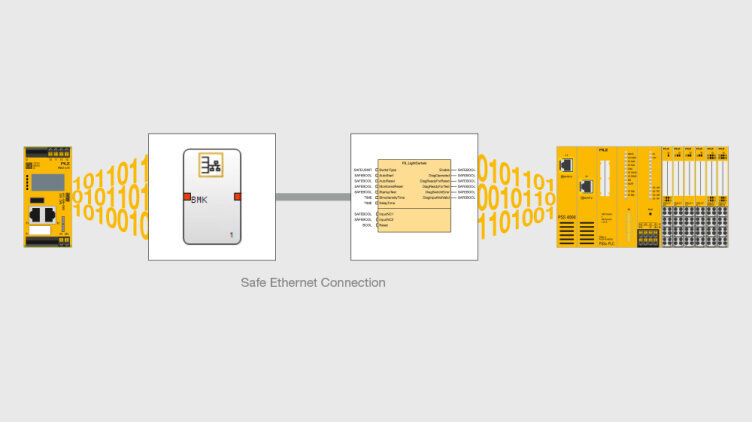
Between the automation system PSS 4000 and the base units PNOZ m B1 / PNOZ m B1 Burner of the safe small controller PNOZmulti 2, a safe data connection can be configured at bit level if both controllers are to be used in one system architecture. Using the Safe Ethernet Connection software blocks, the previously separate "worlds" can be linked safely via Ethernet. The failsafe block “FS_SafeEthernet_Connection 2” is available in the software platform PAS4000 and the block “Safe Ethernet Connection Status” is available in the PNOZmulti Configurator for this purpose. In the case of both blocks, the data that is to be exchanged is simply stored in the respective user program – no further configuration is required. Investment protection for your plant is guaranteed; no need to convert fully to a different system
Benefits to you:
Another feature of Version 11.6 is the ability to save your project to the cloud on the Myzel Lifecycle Platform (MLP): all PNOZmulti 2 project data is stored centrally at the same point and can be called up there at any time. Shorter project runtimes and simple documentation of your current PNOZmulti 2 projects in the new cloud solution from Pilz.
Up to 6 devices of the electronic access permission system PITreader are supported on the base units PNOZ m B1 and PNOZ m B1 burner (previously 4) – for more flexible access permissions: from a simple enable through to a complex permission matrix with individual codings.
Application of the Machinery Regulation 2023/1230 (MR) is mandatory from 20 January 2027. One requirement of the MR states that Industrial Security is a mandatory element for the safety of machinery. To meet this requirement, security functions such as user administration and access management have been installed on the PNOZmulti 2 base units to protect the devices from unauthorised access. To access a base unit or perform changes via the PNOZmulti Configurator, a user must authenticate themself with their access data. A higher-level password policy has also been defined, which applies to the assignment of passwords when PNOZmulti projects are created. A limited number of login attempts to access a project ensures that the user account is locked for a certain period of time if consecutive login attempts fail. This protects the device and prevents manipulation.
Another innovation in the software tool concerns the safe fieldbus module PNOZ m EF EtherCAT FSoE:
If you wish to switch from the standard EtherCAT fieldbus module PNOZ m ES EtherCAT to the safe FSoE fieldbus module, the configuration you created is transferred via a migration function when you swap the device. So the conversion is user-friendly and effortless, with just a few clicks in the software tool. Using FSoE means that safe plant structures can be implemented with a “one-cable solution” at fieldbus level. As a result, machines are highly available, reliable and safe.
Your application advantages:

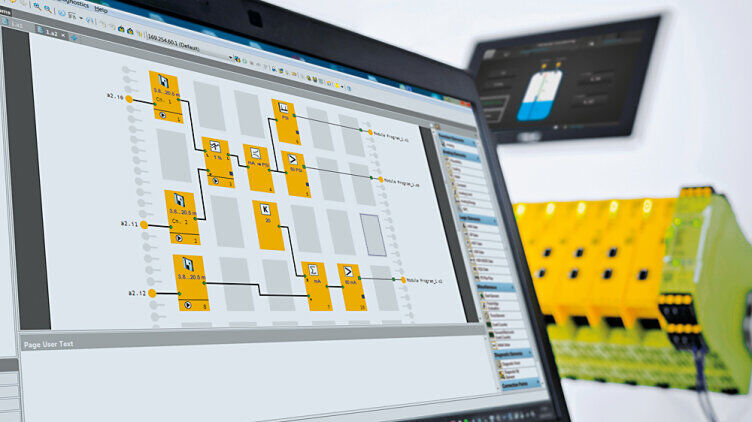
The software tool PNOZmulti Configurator is used to configure the hardware of the safe small controllers PNOZmulti 2 and to create the safety circuit. The original configurable safety program is proven to be easy to use.
Version 11.4 includes these new features:
Decentralised input and output modules of protection type IP67 with 8 safe inputs and 4 safe semiconductor outputs, which allow the direct connection of decentralised peripherals via four 5-pin M12 female connectors to PNOZmulti 2. In total up to 64 sensors or actuators can be flexibly monitored in the field. Less wiring saves costs during commissioning. A version with stainless steel screw connections is available, for use in the food industry for example.
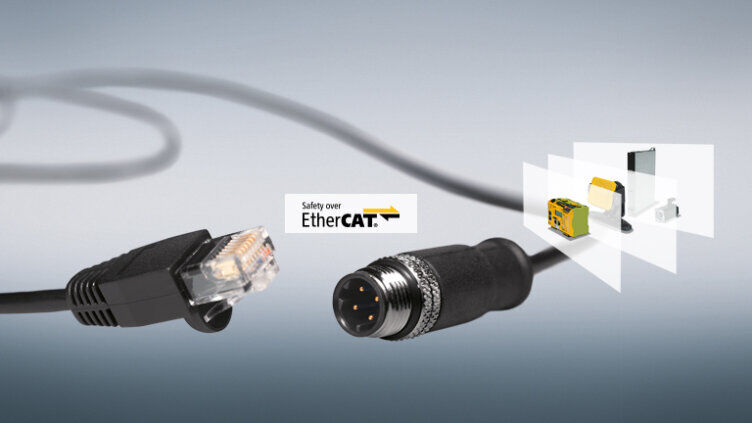
Version 102, for the secure Safety over EtherCAT module PNOZ m EF EtherCAT FSoE has been integrated into the software tool. Using FSoE means you can implement safe plant structures with a “one-cable solution” at fieldbus level.
Frequency filtering can be configured to suppress short-term implausible frequency signals or EMC interference.
The base unit PNOZ m B1 protects you against unauthorised access via user management. To access the device or perform certain tasks via PNOZmulti Configurator, a user must authenticate with their access data. Thus using PNOZmulti 2 is not only safe but also secure!
Laser scanner function blocks for PSENscan, motion monitoring for AGVS
From software version 11.3.0, new blocks provide for the most secure und flexible monitoring of the:
The zone selection function block enables productive solutions for stationary and mobile danger zone safeguarding in conjunction with the safety laser scanner PSENscan, used to monitor 2D zones. In this way, for example, it is possible to monitor open robot cells safely, or also guarantee efficient processes in a logistics or production environment.
Hardware – Perfectly tailored to the application:
Your application advantages:
These are the new features you'll find in Version 11.2.0:
For maintenance safeguarding and to protect against unauthorised restart, combine the small controllers PNOZmulti 2 and reader units PITreader with RFID technology. Three new function elements in the software tool enable you to implement safe access and restart management for plant and machinery. All keys that are logged in are stored in a list in the user program. A machine is not enabled to restart until all keys are signed out. Manipulation is excluded, as the key is not permitted to remain in the PITreader, either when accessing or leaving the plant. The blind spot element requires areas of the plant that are not in view to be inspected prior to any restart. In this way you can provide flexible safeguarding of service operations on your plant and machinery. You can sign in and out at any door and thus save time, particularly on larger plants.
The planned new Machinery Regulation (successor to the Machinery Directive) requires security mechanisms that prevent access to device data. Security features are already accounted for in the PNOZ m C0. So PNOZmulti 2 is well equipped for the future.
Two new function elements are available for the safe analogue input module PNOZ m EF 4AI, when configuring the module program. The differentiation element detects a change of the analogue value over a certain period. The “ramp” element is used if you wish to monitor whether a value moves within defined upper and lower limits. If a value exceeds or falls below these limits – plus a tolerance – PNOZmulti 2 initiates appropriate remedial measures. Whether you are monitoring fill level, temperature, pressure, speed or other values - your processes are safe.
You can connect up to 6 output modules PNOZ m ES 14 DO to the base unit PNOZ m B1. So you can activate indicator lights, signal lamps, illuminated pushbuttons and many other standard tasks, economically.
*The product ranges PNOZmulti Classic and PNOZmulti Mini were discontinued as of 31.12.2024.
Pilz GmbH & Co. KG
Felix-Wankel-Straße 2
73760 Ostfildern
Germany
Telephone: +49 711 3409-0
E-Mail: info@pilz.de
Telephone: +49 711 3409 444
E-Mail: support@pilz.com